Deprecating a legacy
contracts page

Sprint

8 weeks (an additional month of discovery)

Team

Product designer (me), Product manager and three front-end engineers.

The project

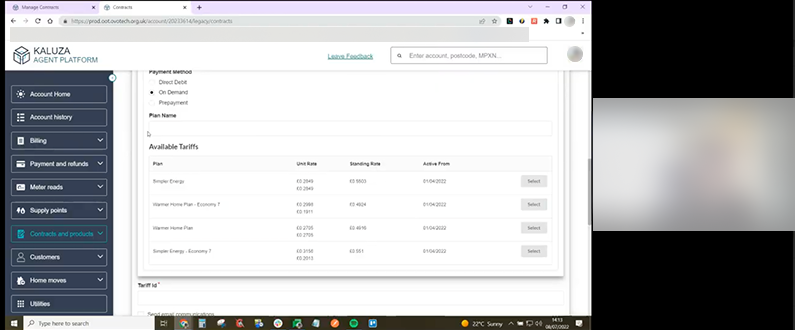
I was tasked with improving contract and tariff management tools, which exist on separate pages: a legacy tool for back-office agents handling investigative cases and a newer tool for front-office agents resolving customer queries while on the phone.

My responsibilities

There was an assumption that the cancel contracts service caused billing issues, leading to a proposal to remove this capability. I began discovery with user interviews, then collaborated with our product manager to scope the work. I designed solutions, led user testing, iterated based on feedback, and delivered the final design.

The challenge

The contracts space contains a wide range of functionalities and information, much of which is duplicated across both the Manage Contracts and Amend Contracts areas. At the same time, our product managers brought strong perspectives on the direction we should take. Together, these factors created challenges in determining where to focus our efforts.

Research with agents

I interviewed five agents of varying tenure across front- and back-office roles who had used the ‘Cancel contract’ tool in the past three months. The goal was to understand how they used the tools and their pain points.

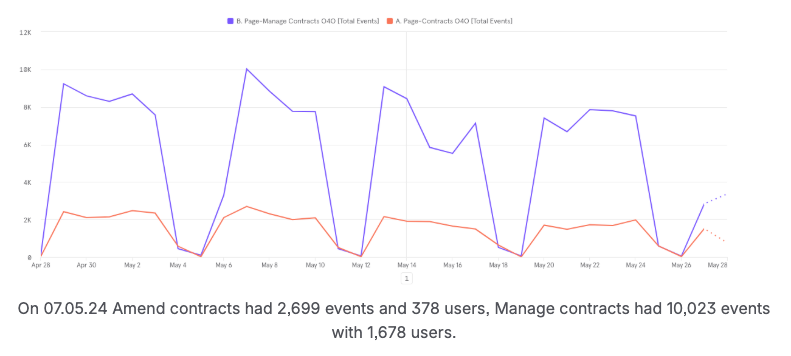
I discovered that none of the agents, including front-office staff, used ‘Manage Contracts,’ though they were aware of it. Instead, back-office and billing operations agents preferred ‘Amend Contracts’ due to its broader capabilities and familiarity, highlighting discoverability issues.

Observing agents canceling contracts, I found it was essential for resolving contract issues not caused by human error, reinforcing the need to retain this feature.

Change in direction

Following a customer care team restructure, all agents were trained to use ‘Manage Contracts.’ Despite this, many continued using ‘Amend Contracts.’

Through further agent interviews, I identified three key pain points:

  • Information architecture
  • Data displayed when creating contracts
  • Contract tools being split across two pages
 

Card sorting exercise

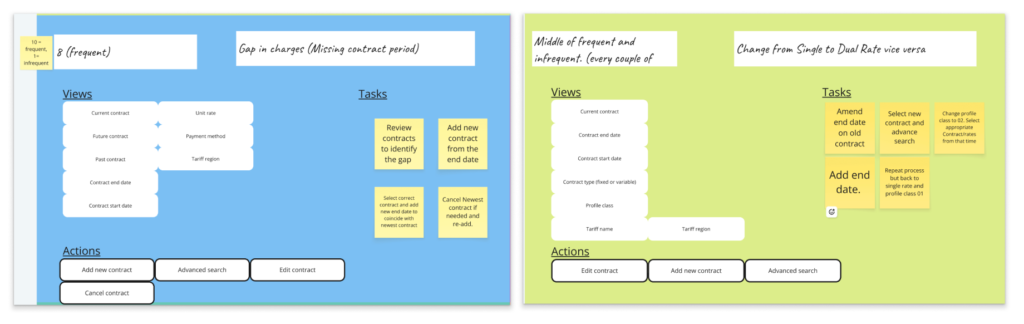
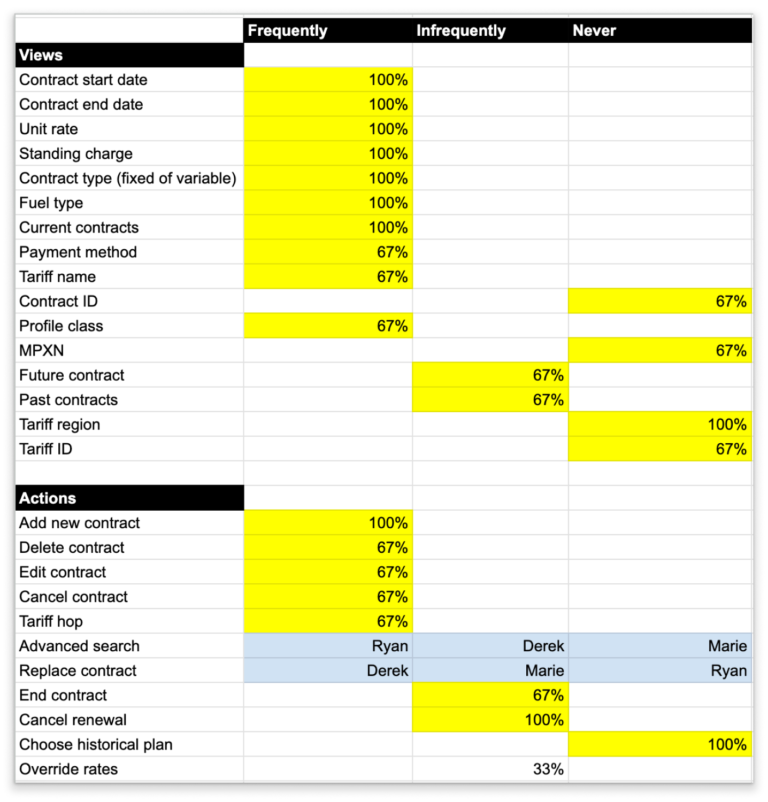
I conducted a card sorting exercise with three agents of varying tenure and roles to identify the most used tools and key information needed. Using these insights, I restructured the information architecture, placing rarely used data, such as the contract ID, in an accordion to declutter the contract card. 

Information and actions organised by order or prioritisation and by task type.
Card sort synthesis.
Card sort synthesis

Information architecture & variable price changes

Agents were mainly confused by two things: the tariff name and dates at the top of the card, and the contract start date below. Additionally, variable price changes were difficult to read as they were split across cards representing past contracts.

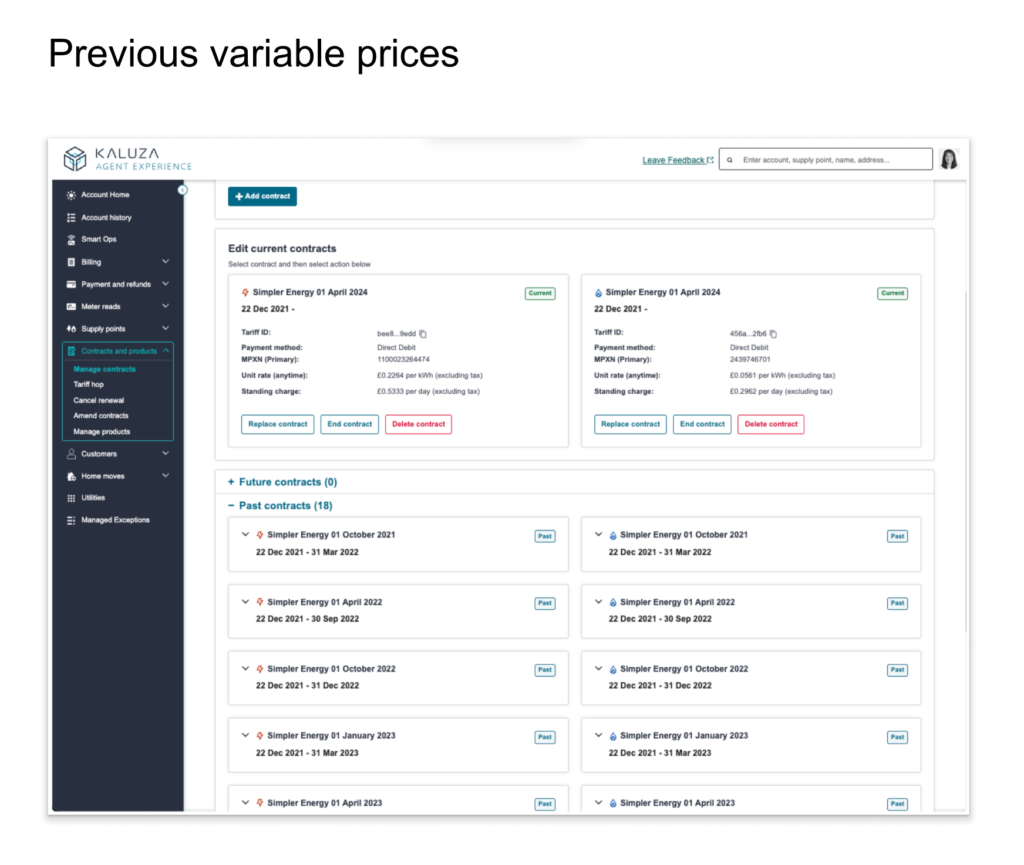
To improve clarity, I added text fields at the top of the cards to explicitly display the contract start and end dates, along with the tariff name. I also placed the least used data, such as the MPXN, behind an accordion. Variable price changes, which occur quarterly, were moved to the contract card and placed in a scrollable list within an accordion.

Create contract

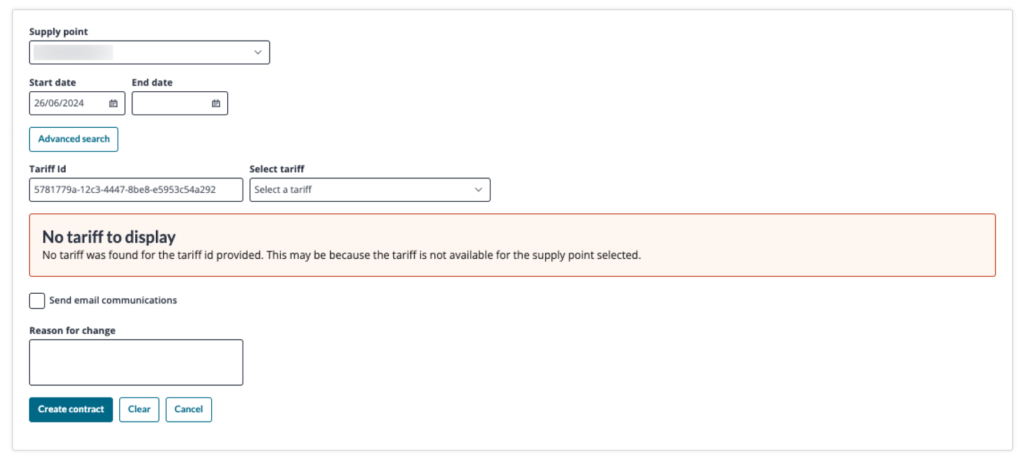
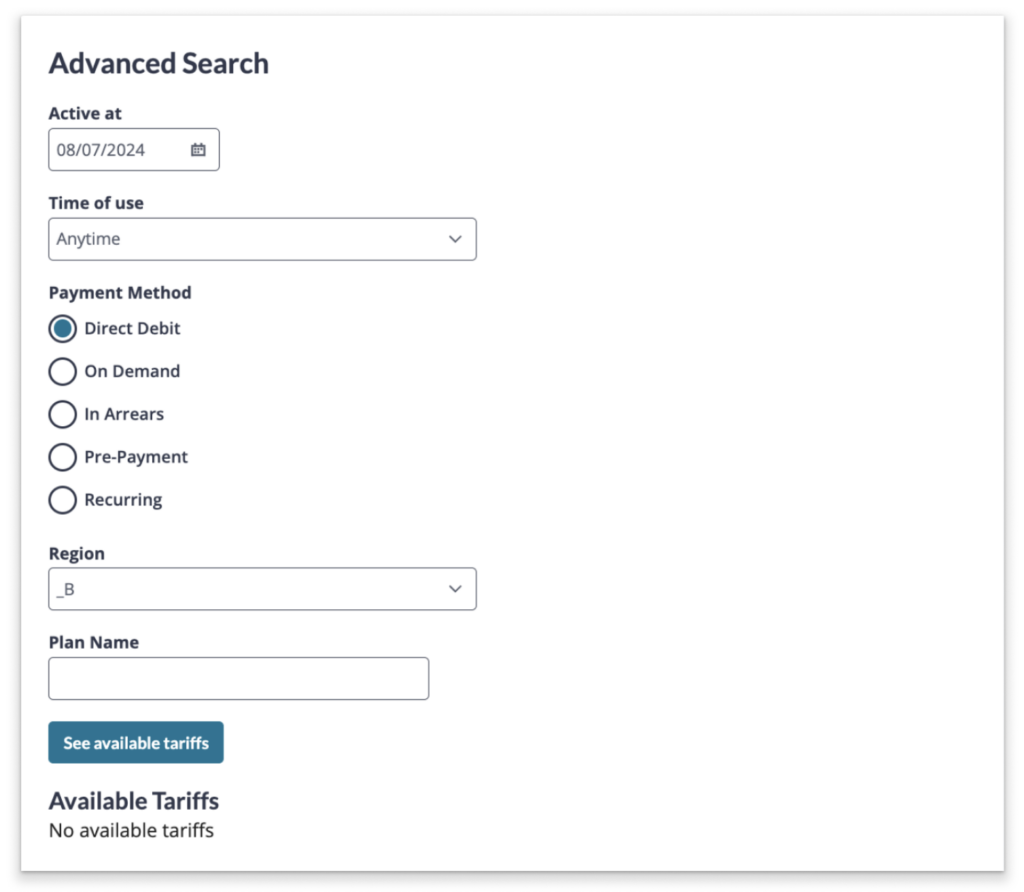
Agents often used ‘Amend Contract’ to create contracts because the ‘Manage Contract’ tool appeared non-functional. Results were only displayed with the correct search input, triggering a ‘no tariffs found’ message when incorrect, which led agents to revert to the familiar tool.

Eligible tariffs VS advanced search

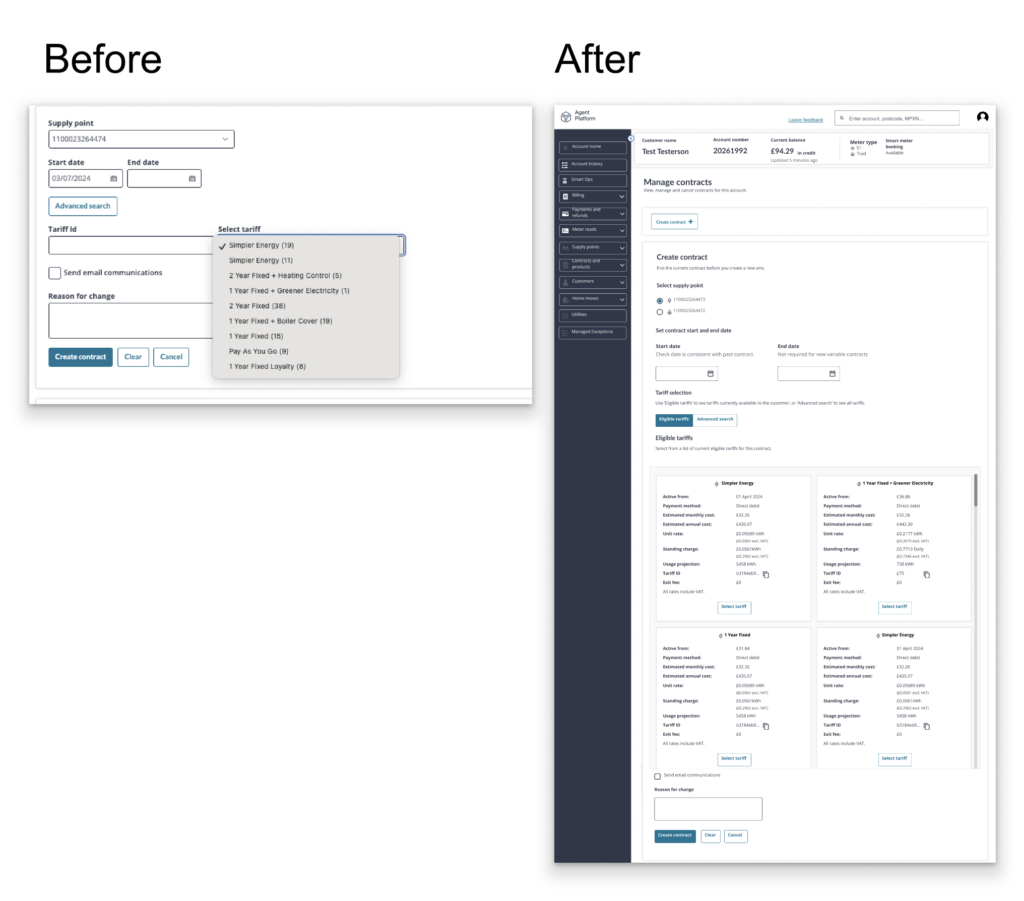
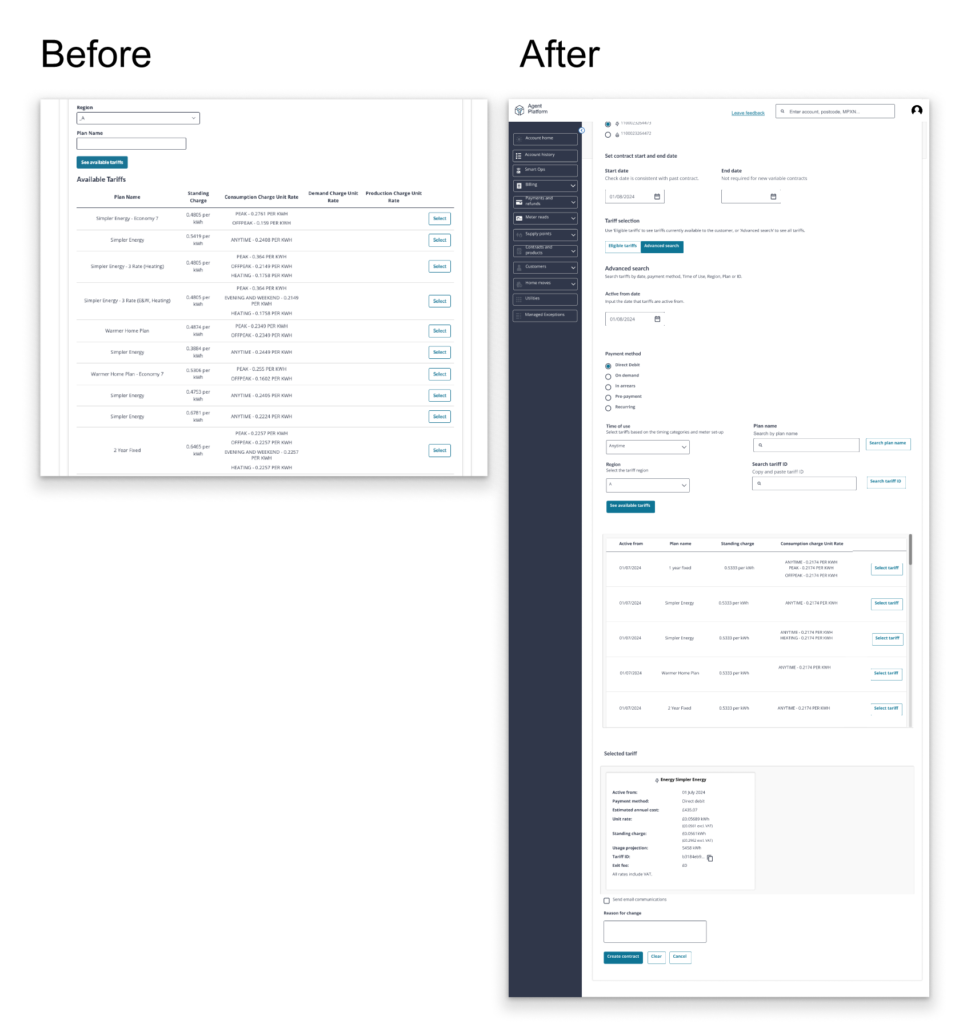
I placed the eligible tariffs on cards so that agents can immediately see what they can select, missing out the step to select from a list. I also placed the ‘tariff ID’ in ‘advanced search’, the table of tariffs is always present because of a default selection, this took away the ‘no tariffs found’ message.

The solution and impact

The time to view and create a new contract decreased from 29 seconds to 23 seconds. In user testing with five agents, they easily found variable price changes. Agents now exclusively use ‘Manage Contracts,’ with no complaints about the legacy tool’s deprecation.

Prototype

View variable price changes.

Scroll to Top